Upcoming changes to some student systems

Some of our student systems are undergoing updates and will be unavailable from 5:00pm Friday 23 October to 8am Sunday 25 October 2026
We understand this may cause some inconvenience, but this is an important step to help safeguard Western’s networks and systems, keep your information secure and effectively manage student records well into the future.
What may be impacted?
Following applications will be unavailable during the outage:
-
My Student Records (MySR): During this time, you will not be able to access MySR to update your student information, enrolment, subject registration, proof of enrolments, make payments, or submit forms.
-
Payments website: You will not be able to pay tuition fees, SSAF, library fines or order academic documentation.
-
WesternNow: Student forms in WesternNow will be unavailable during the outage. This will include requests for Credit for Prior Learning and Rule Waiver. In addition to this, processing times for existing requests may also be delayed.
-
Ellucian Workflow (eForms): You will be unable to access eForms, this will affect the creation of new applications and processing of existing applications.
- Review of Grade
- Deferred Exam
- Pathways Credit
- Show Cause
- Change of Grade
-
Western Mobile App: The Western Mobile App will have limited access. If you use the app to access your timetable, campus maps, the Library website, tracking Shuttle bus, or your Western emails, make sure you save this info somewhere else so you can access it during the outage.
-
ID cards: During the outage period, ID cards will not be issued. Please liaise with Student Services Hub once the system resumes.
-
TfNSW OPAL Concessions - During the outage period, new students will not be able to apply for their Concession Opal card. This does not impact the students who have had their Concession Opal already issued.
-
Academic Document Ordering: You will not be able to order academic documents such as transcripts, completion letters, AHEGS, or testamurs, and there will be delays in processing these requests.
-
HDR Application Offering: The processing of higher-degree research (HDR) applications offering will be impacted.
-
OES Admissions: Admissions through OES will also be affected, with processing paused during the outage window.
-
Award Verification System
-
DegreeWorks
Following applications will be available during the outage:
- Student Email
- Microsoft Teams
- Zoom
- MyWestern
- Research Master
- InPlace (Placement Management System)
- Library
Even though below application will be available, note – they will not be refreshed with the latest data.
-
Allocate Plus
-
Syllabus Plus
-
StudyLink
-
Ultra
- Even though Ultra will be available, Students will not be added to Ultra sites during the outage.
- Any changes to student enrolment will not be reflected in Ultra (e.g., if a student hasn’t paid their fees, they will still retain access to Ultra).
- Grades cannot be transferred from Ultra to Banner/REPS during the outage.
- New staff, depending on when their accounts are activated, cannot be added to Ultra sites.
Important Notice:
While we have provided a comprehensive list of systems affected by the planned outage, please be aware that additional applications might experience reduced functionality or delays due to their reliance on the Student Management System (SMS). These systems may still be accessible but could have limited effectiveness during this period. If your specific system isn’t mentioned, and you encounter issues, we recommend reaching out to the relevant support teams for assistance.
What do I need to do?
Follow these tips below to help you prepare for any potential disruptions.
BEFORE THE OUTAGE
- Update your personal details - If you’ve been meaning to update your personal details or contact details, try to get it done before Friday 23 October – otherwise you’ll need to wait until Sunday 25 October.
- Check your enrolment - If you’ve been planning to review your enrolment for the rest of the year and make any changes, do this before Friday 23 October as you will not be able to modify your registration during the outage window.
- Grab a copy of your study info - To ensure you have essential information readily available during MySR's offline period, such as enrolment details, exam timetable, past subject results, or fee invoices, consider taking screenshots. This way, you'll have access to them even when MySR is unavailable.
- Complete any forms - If you need to complete any government forms like applying for a HELP loan, you must do this before Friday 23 October, or wait until Sunday 25 October (if you need to apply for urgent financial assistance, you can still do this via the Student Portal).
- Ultra: If you’re working on any assessments during this time, you will be able to access and submit assessments as normal in Ultra (Blackboard). Subject outlines/learning guides are attached as pdf’s in Ultra so you will still have access to the same during the outage window.
- TfNSW OPAL Concessions - During the shutdown period, new students will not be able to apply for their Concession Opal card. This does not impact on students who have had their Concession Opal already issued.
AFTER THE OUTAGE
- All services will be restored after the outage and will be available to students and staff.
If you/your teams experience issues with Banner (e.g. favourites not appearing), please clear your Internet browser cache. For instructions on clearing cache, please login into WesternNOW.
For all other issues with SMS Banner, please log an incident via WesternNOW IT Portal, or contact the IT Service Desk on (02) 9852 5111 / (ext 5111).
Getting help
If you need assistance or have any questions, don't hesitate to reach out to our support teams. They're here to help you navigate through the transition process.
Staff: For any Banner Student Management System access issues, please reach out to Service Desk via above mentioned links.
On-campus students: The Student Services Hub (SSH) is the right place to go. They are preparing to take all your questions and respond back to you as soon as our systems are back online.
- Join the Virtual Service queue
- Call the Student Infoline on 1300 668 370 / +61 2 9174 6900 (Monday – Friday, 9am-4:30pm).
- Sydney City campus: Call +61 8236 8037 for any questions.
Research students: Please contact the Graduate Research School via HDR Knowledge Directory.
Western Online students: Please reach out to Student Support or on 1300 050 928 during business hours.
Alumni: If you are a Western Alumni, you will not be able to request a transcript during the outage window. The requests will be actioned after the outage. For any urgent inquiries, please contact our Alumni Services team at Alumni or call us on +61 2 9685 9500 during business hours.
Technical issue: If you have a technical issue that isn’t related to Banner Student Management System (SMS) or MySR or another offline system:
- Raise an IT ticket through MyIT portal: http://myit.Westernsydney.edu.au
- Email the team at ITServiceDesk
- Call +61 2 9852 5111 during business hours
If you have any specific deadlines between this period, please reach out to the relevant team before the deadline. If you've already submitted a WesternNow enquiry, please be patient. Logging multiple tickets regarding same issue may delay the response.
Frequently Asked Questions
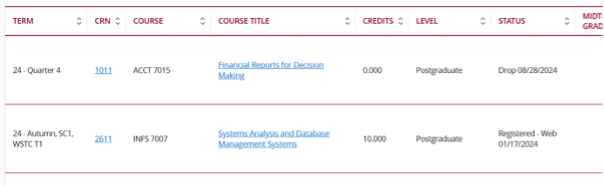
We’re aware of an issue with the Print button on the “View Registration Information” page, which is currently not working as expected. Our vendor is working on a fix, which will be included in a future system update. We appreciate your patience in the meantime.
What can I do in the meantime?
Until the issue is resolved, here are alternative ways to print or save your registration information:
Option 1: Access Your Proof of Enrolment
For official proof of your current enrolment (which also includes your registered subjects), visit: WSU Proof of Enrolment Page. From here, you can download or print a formal Proof of Enrolment document.
Option 2: Take a Screenshot
You can take a screenshot of your registration information and save or print it:
- On Windows: Press Windows + Shift + S to open Snipping Tool.
- On Mac: Press Command + Shift + 4 to select and capture a portion of your screen.
Option 3: Use Your Browser’s Print Function
- On the registration page, press Ctrl + P (or Command + P on Mac).
- Choose Save as PDF or select your printer to print directly.
The date is currently displaying in the US format (MM/DD/YYYY) instead of the Australian format (DD/MM/YYYY). This is a known issue, and we are actively working with the vendor to resolve it as a priority.
You do not need to log a ticket at this time—we will provide updates once the issue is resolved.