Professional Learning @ Western
Learning and Teaching provides a range of professional learning opportunities throughout the year, from formal professional learning programs for newly appointment academics, to learning & teaching workshops, which are offered on a regular basis. See what we offer on our internal website, EducationHQ.
Transform your teaching practice:
Teaching Essentials
Short, sharp, reliable resources that support teachers and educators with the essential information to get started with curiosity and confidence.
Formal Programs
If you're a PhD student teaching for the first time, a sessional teacher, new to teaching at WSU, or professional staff interested in developing your learning and teaching capacity, explore the range of formal programs on offer.
Online Modules
Based on your interests, teachers and educators have access to online self-study modules to dip in and out of, or complete, at a time that suits you. Your development, your choice.
Communities of Practice
Our Communities of Practice are structured around university priorities, and bring together teachers and educators with a common interest in improving learning and teaching at scale.
Teaching Practice Series
For teachers and educators keen to engage with the challenge: “how do we make student learning possible?” Choose the Series or sessions that best suit the conversation you're keen to participate in, and contribute to.
Partner with Us
We work with Schools and Faculties to support their learning and teaching priorities. Explore the initiatives, and get in touch about a collaboration.
Showcase your teaching:

2026 Learning and Teaching Showcase: Tensions and Possibilities
We’re teaching in a time of significant change and disruption, especially for our students. Change creates tensions and uncertainties, but it also generates new possibilities for teaching and student learning. How we navigate tensions in education and embrace the possibilities they create is crucial to our success, and our students’ success. This year, we’re asking teachers across Western to come together to explore how they continue to make student learning possible.
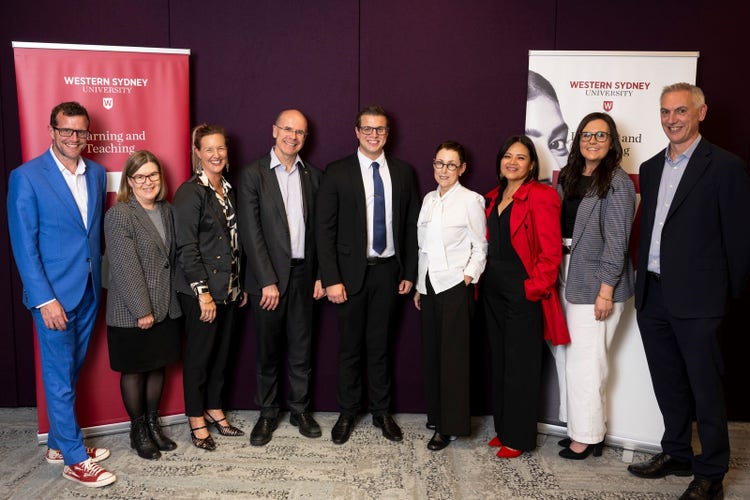
2026 Learning and Teaching Awards
Western's Learning and Teaching Excellence Awards are now open. Apply for a Citation for Outstanding Contribution to Student Learning Award, an Excellence in Teaching Award, or an Excellence in Indigenous Teaching Award.
Nominations open on Tuesday 16 June.
Nominations close on Friday 7 August.
Award winners will be announced on Wednesday 2 December.
Read about our 2025 Learning and Teaching Award Winners.
Resources
T&L Resources
- 5 Moments that Matter (PDF, 2847.2 KB)(opens in a new window)
- Educators Guide for Sustainability (PDF, 5310.29 KB)(opens in a new window)